

Digitize your building. Manage field work from your pocket.
Bring BLE and UWB infrastructure together with compatible mobile devices. Combine wayfinding, inspection and attendance in a single app experience.
Where will you use it?
Mobile field scenarios suited to the specific conditions of your sector.
Plan work points and task order with passages, constraints and priorities. Bring the suggested route to the mobile screen.
Open the maintenance point in the app. Keep the point match, checklist and photo in the same inspection record.
Choose the department, service point or booth and see the indoor route. At trade fairs, analyze consenting attendee visits.
Review participants within the scope of registered devices and users, their latest reports and roll-call status.
Combine floors, zones, service points and sensor placement on the map and match them to the real site.
Store team or visit attendance on the device. Transfer it when the connection returns, keeping the event time.
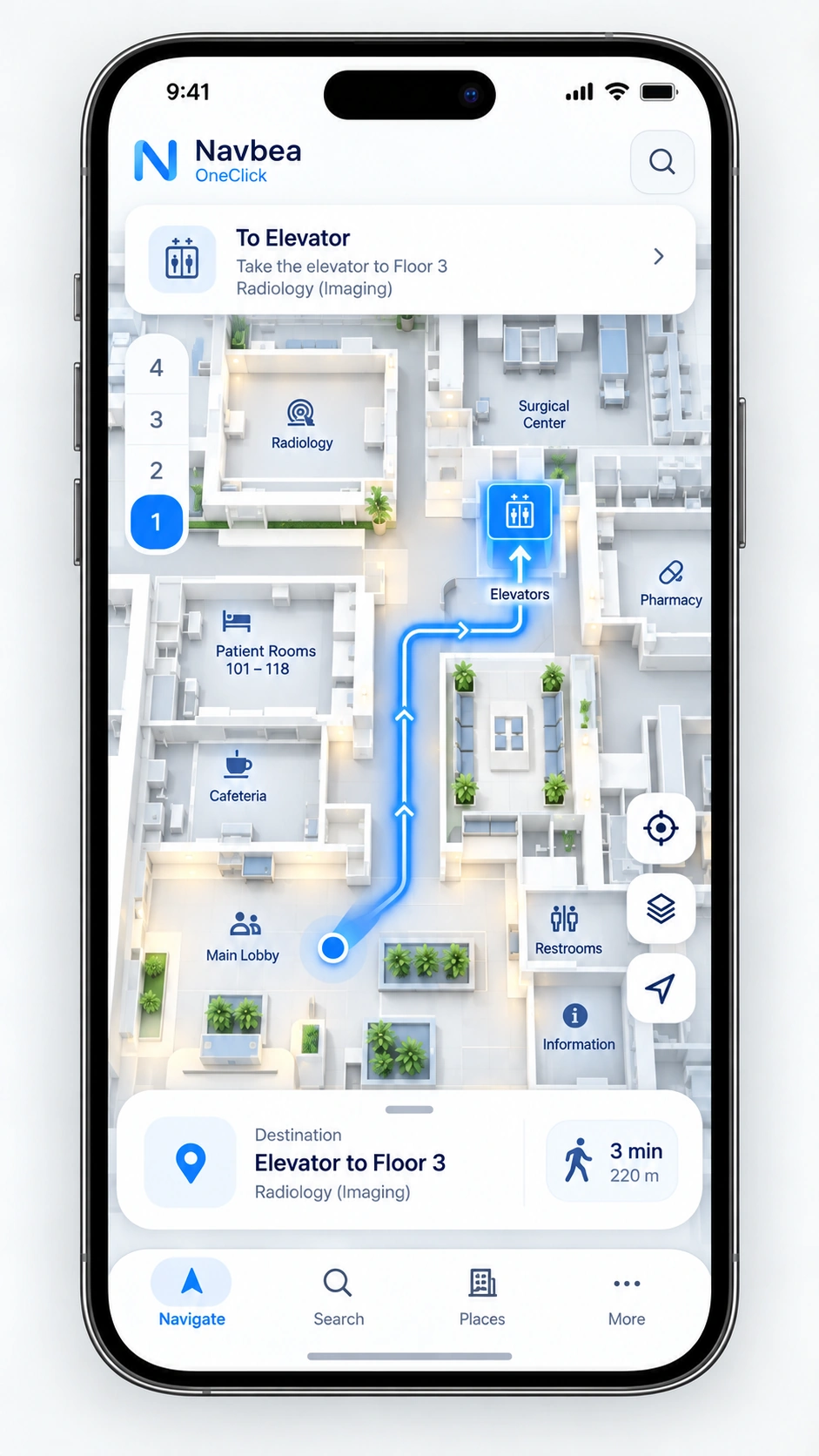
Indoor wayfinding on the phone with a validated floor plan, the target clinic and floor connections.
Offline record states
The verification steps the system follows depending on the field device's network and location-evidence status.
| Status | Screen and behavior |
|---|---|
| Waiting for location | Searching for the point. Bluetooth/location permission and device support are explained where needed. If the user proceeds without a match, this status is preserved in the record. |
| No match | Location could not be verified. Retry or send for review. An unmatched record does not become a verified attendance automatically. |
| Saved on device | Pending transfer. The record is stored locally; event time, point, method and verification status are preserved. |
| Connection restored | Transferring. Pending records can be resent; the record ID prevents duplicates on the server. |
| Server confirmation received | Transferred to the center. The server's receipt time is shown separately. Merely establishing a connection does not count as success. |
| Error or conflict | Could not be transferred / review needed. The record is not deleted; the reason and a way to retry are shown. Transfer of attachments such as photos is tracked separately. |
An end-to-end architecture from spatial analysis to field use.
Define the site and see usage recommendations on the map.
Navbea BuilderConnect the workflow to web and mobile screens without writing code.
Let it work uninterrupted, even offline, in field workers' pockets.
Frequently asked questions
Does it work on every phone?
BLE/UWB support depends on the device model, operating system and sensor compatibility. The pilot scope is clarified with your existing devices.
Is an offline record visible at the center?
The record reaches the center after the connection is restored and the transfer is confirmed. Without a location match it is not counted as verified.
Let's start with one building or one workflow.
Let's assess your site, your goal and your existing devices together.